These instructions are for registering a member or non-member for a program (swim lessons, basketball, etc.) in Daxko Operations.
- Find the Person> Find the Program > Take a Payment
- Search for the member wishing to register (Last Name, First Name)
- If they are not already in the system you will need to add them (follow steps here)
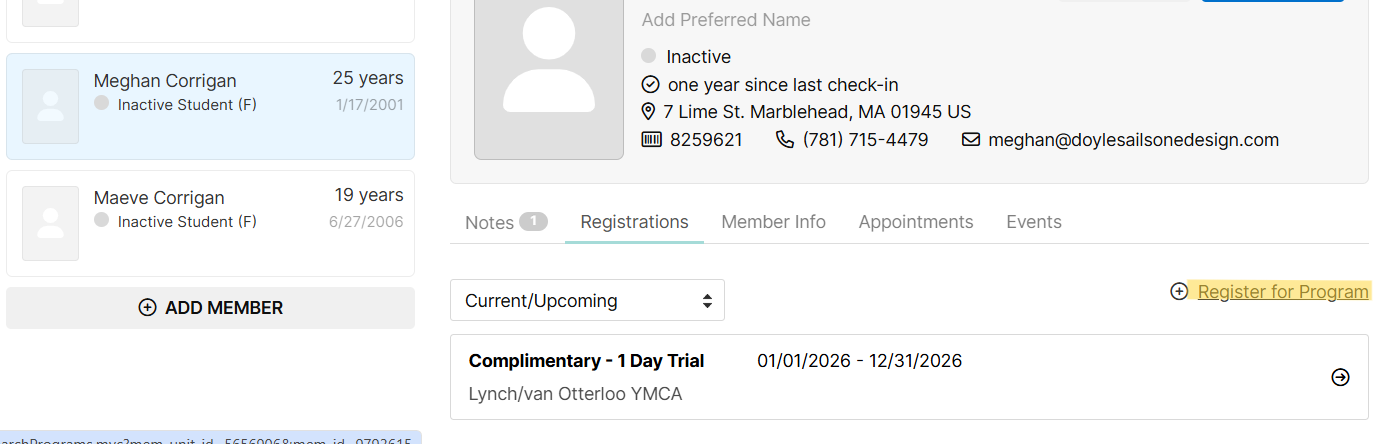
- Navigate to their profile, then click Registrations. You will see any current or upcoming registrations here. To register for a new program, click Register for Program
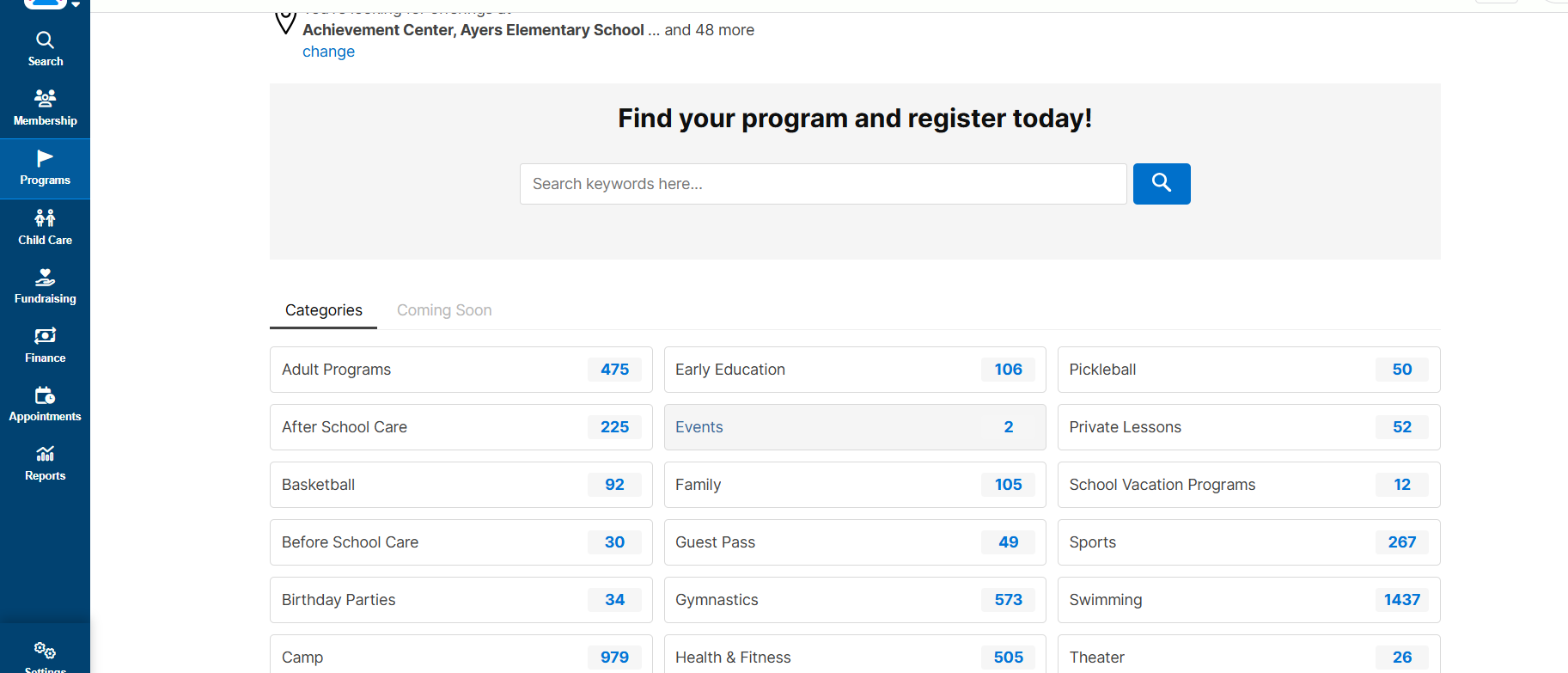
- On the next screen, search for the program you are looking for:
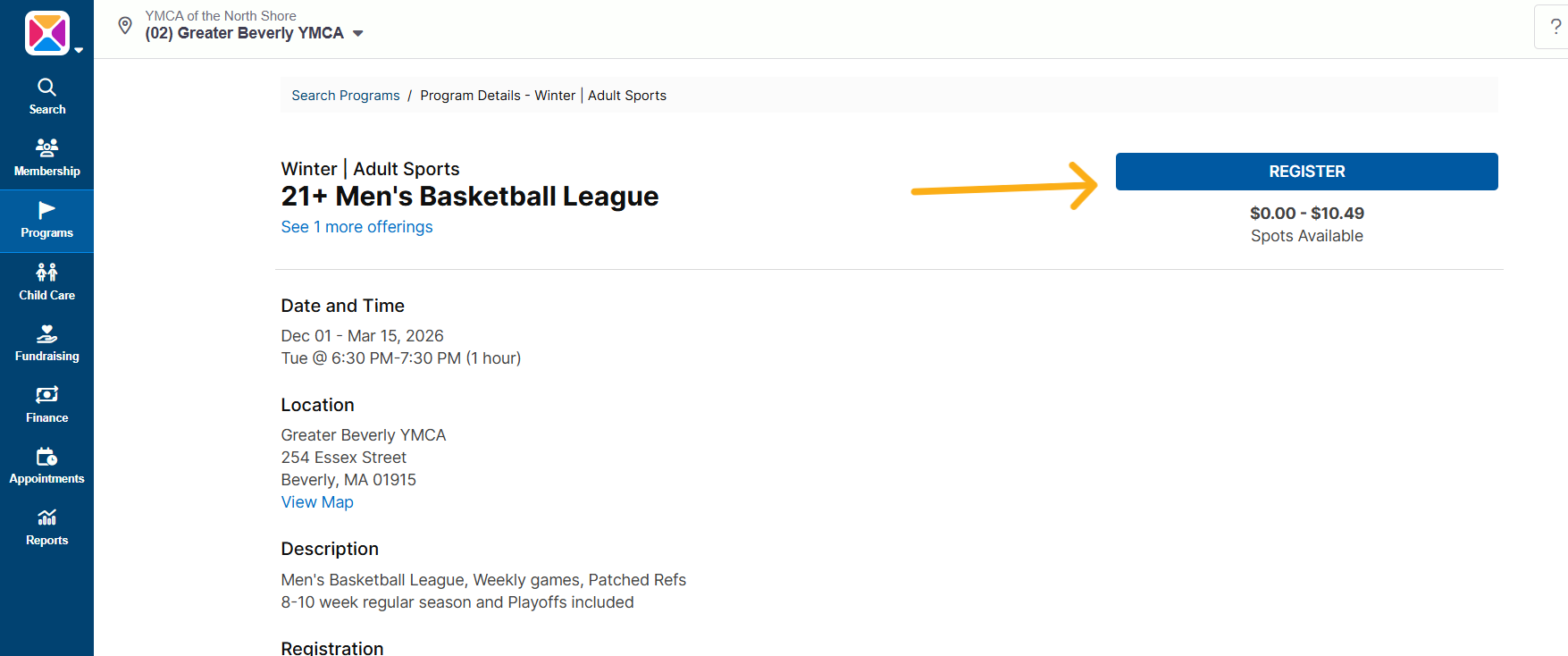
- Once you have located the correct program, click Register:
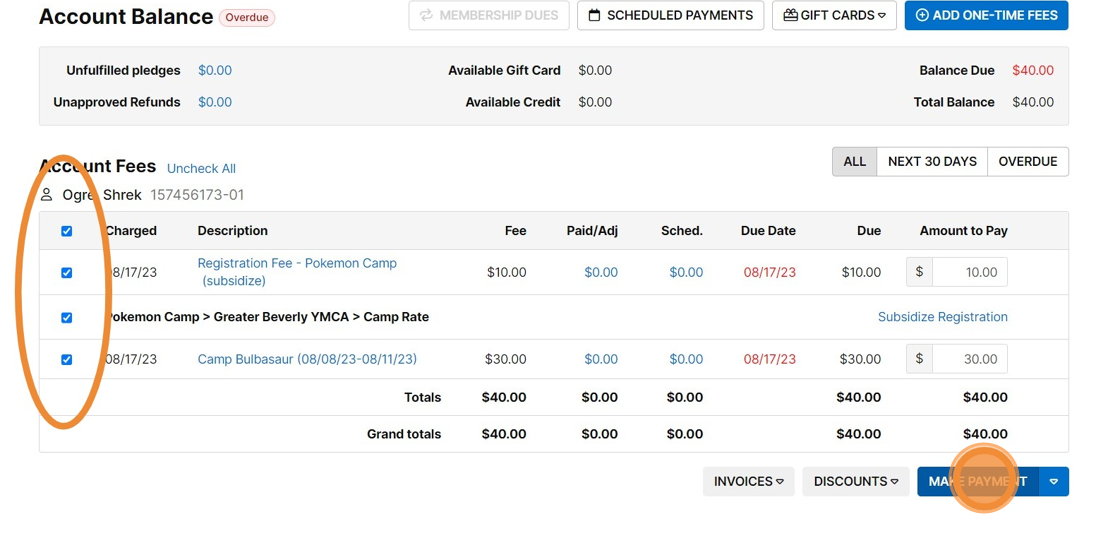
- We have selected the Person, chosen the Program, now we are going to take a Payment. Select "Make a payment"
- Confirm which programs you are going to bill them for right now by using the blue check marks on the left to designate what will be charged today. Then select "Make a payment":
Was this article helpful?
That’s Great!
Thank you for your feedback
Sorry! We couldn't be helpful
Thank you for your feedback
Feedback sent
We appreciate your effort and will try to fix the article