TABLE OF CONTENTS
- Policy
- Placing a Membership on Hold - Draft Date is the 1st of the Month
- Placing a Membership on Hold - Draft Date is the 15th of the Month
Policy
Members can place their membership on hold for up to 3 months* per year. This request must be made via the support request form.
*Exceptions include: extended medical conditions or members who move south for more than 3 months. These require documentation in the form of a doctor's note or proof of alternative address.
Placing a Membership on Hold - Draft Date is the 1st of the Month
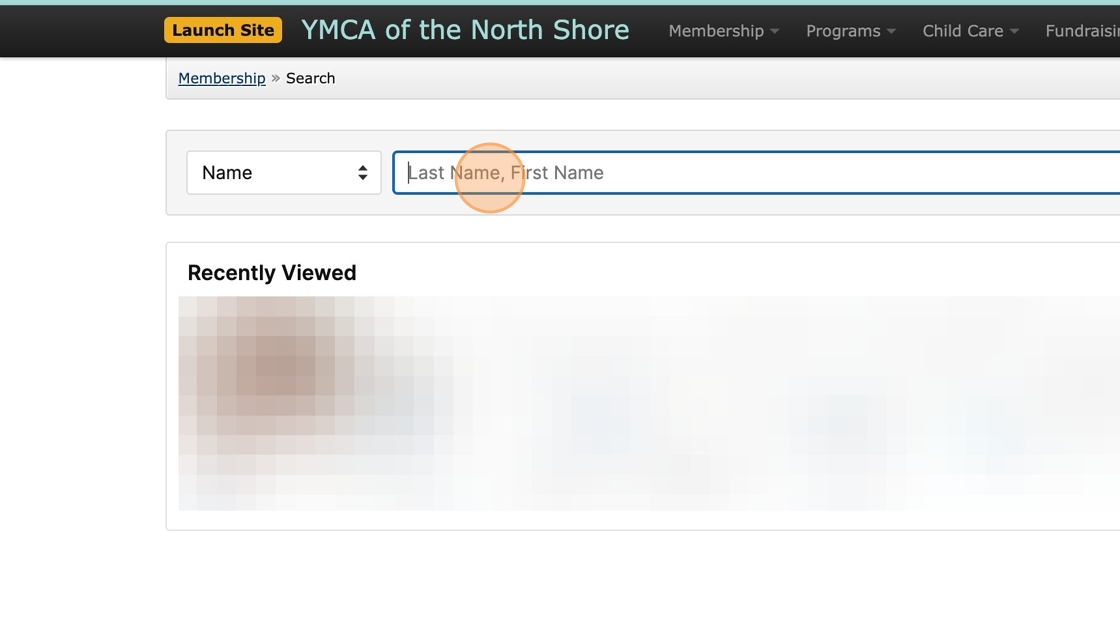
1. Search for the member looking to place their Membership on Hold.
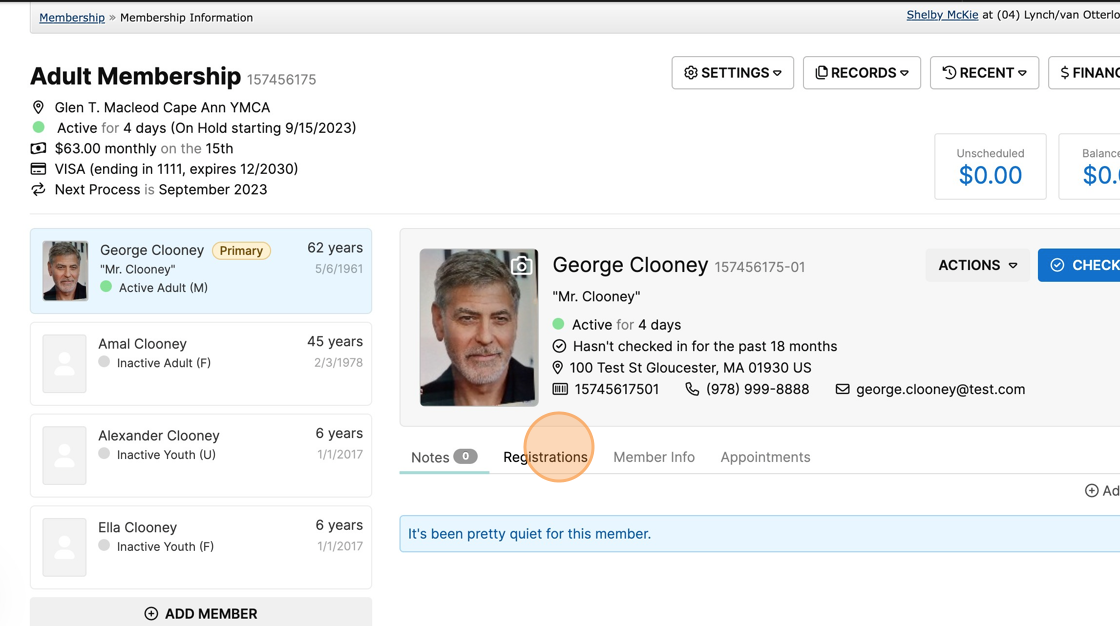
2. View the Membership Information page to see if the member is currently enrolled in any programs. Program enrollments can be found under the "Registrations" tab. Reminder: If a member is enrolled in any programs, their membership must remain active throughout the entire program, as they are receiving the Member rate! If they wish to still place their membership on hold, they will need to pay the Community rate.
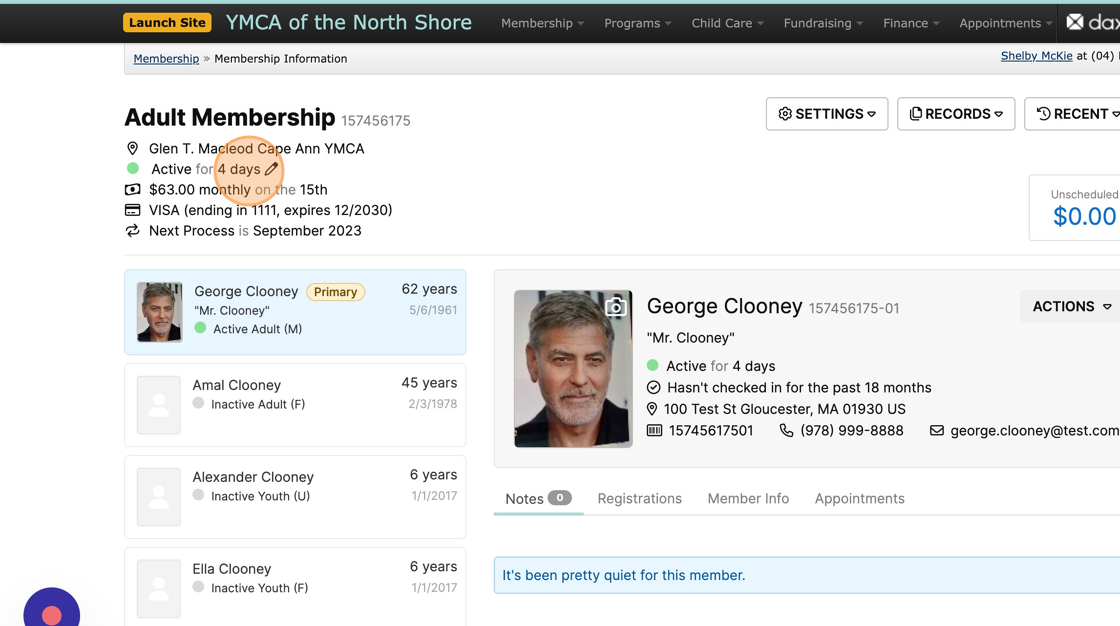
3. Click on the Edit pencil next to the Active status to begin processing the Hold request.
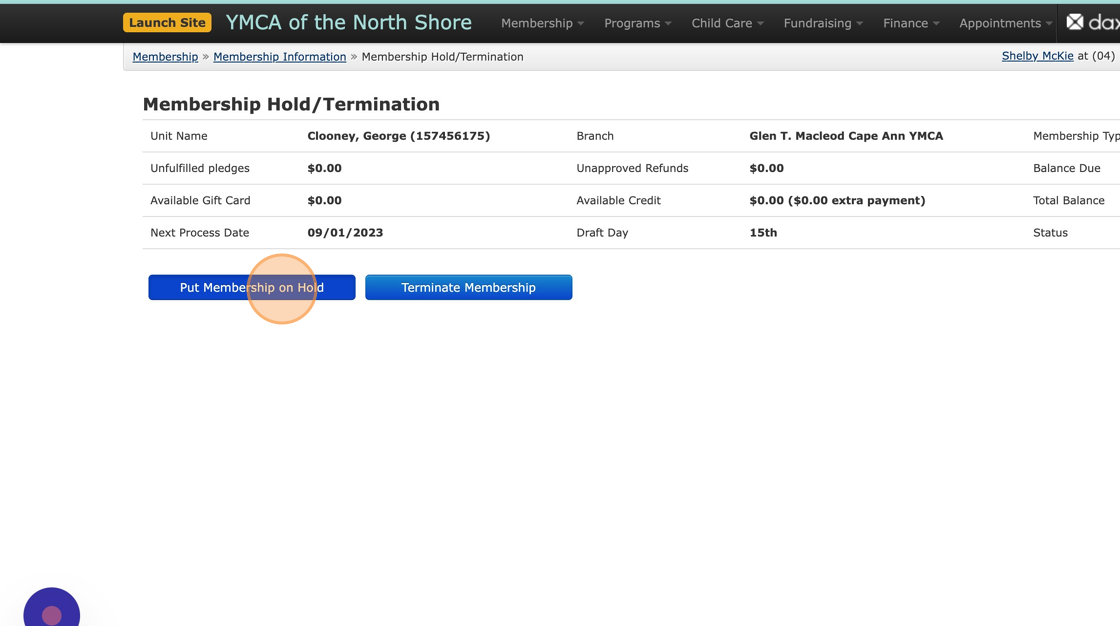
4. Click "Put Membership on Hold"
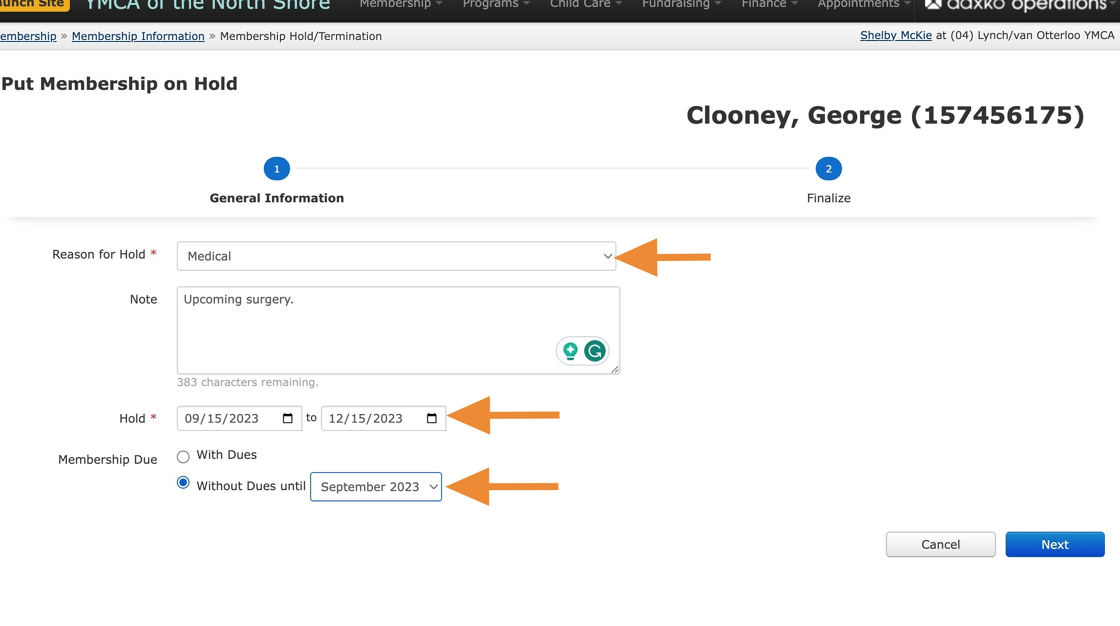
5. Enter the reason for the hold, any notes, and the hold duration (should fall on the member's draft date). Click on the Without Dues until option and select the date that the membership should reactivate and begin generating fees again. Click "Next."
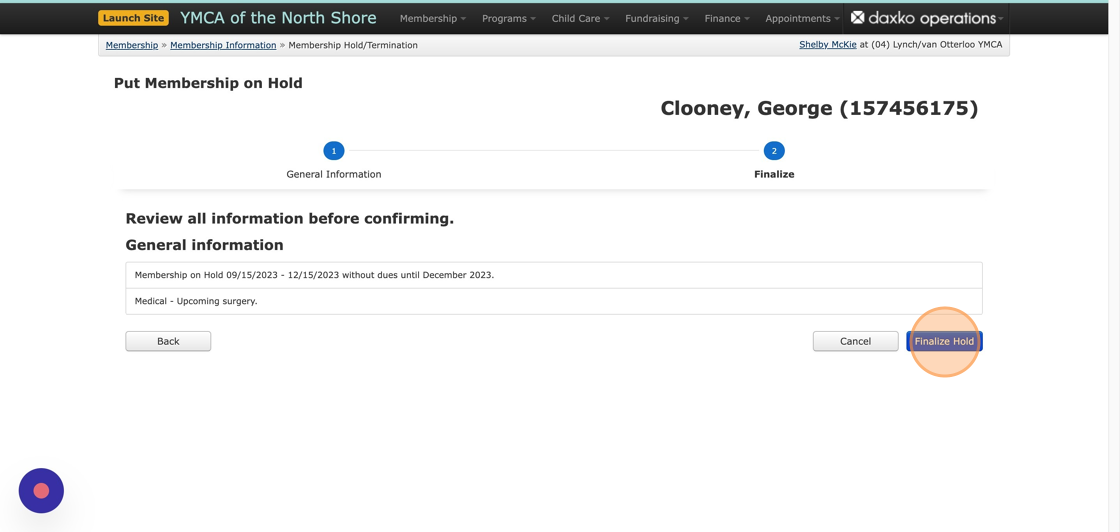
6. Review the information and click the "Finalize Hold" button.
7. Once complete, click on the "Membership Information" button to go back to the member's account page.
Placing a Membership on Hold - Draft Date is the 15th of the Month
Alert! This is a workaround to accommodate our old date-to-date holds
functionality for memberships drafting on the 15th of the month. This process includes an extra preliminary step to allow facility access during the first two weeks leading up to the hold without dues generating.
Alert! If you have already completed the standard process to schedule a hold using 15th dates (e.g. 11/15 - 12/15), you must first release this hold, then complete the steps below.
1 For this example, we're looking to set up a hold from 11/15 - 1/15.
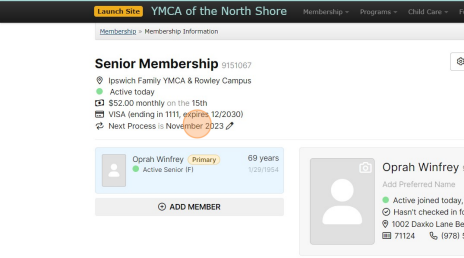
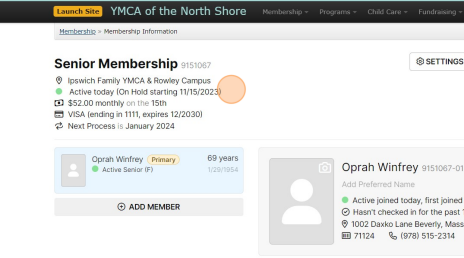
We need to start by preventing dues from processing in November, so we'll push out the next process date to the month the membership will reactivate.
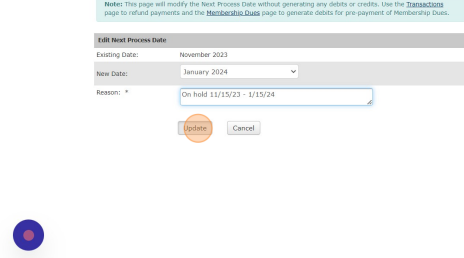
2 Edit the Next Process Date to January and enter a reason noting the hold period.
3 Now we'll go back and enter the hold.
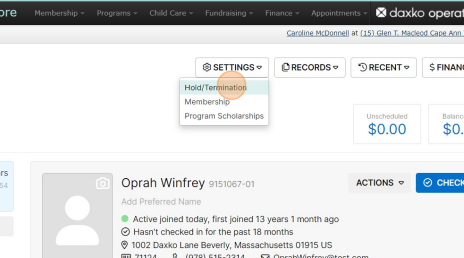
4 Click "PUT ON HOLD"
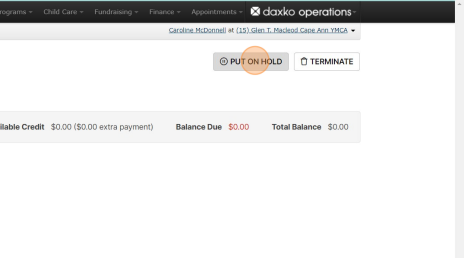
5 Add a note that this membership drafts on the 15th and you've already pushed the next process date so they can access the facility through 11/15 without a charge.
Set the hold dates from 11/15 - 12/31. We DO want this account to generate dues on 1/1 because they'll be scheduled to charge on 1/15. Technically, this will allow them to scan after 1/1 (although they won't know that). Again, this is a workaround, and not an ideal standard practice.
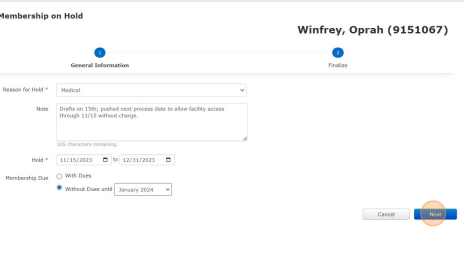
6 Review and finalize the hold.
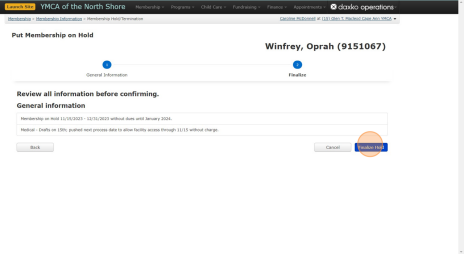
7 Now you'll see the hold beginning on 11/15, however since the Next Process is set to January, no dues will be generated for November, allowing them facility scan access through the 15th without the fee.
Was this article helpful?
That’s Great!
Thank you for your feedback
Sorry! We couldn't be helpful
Thank you for your feedback
Feedback sent
We appreciate your effort and will try to fix the article