How to Add a Masters Swim Team Fee to a Membership
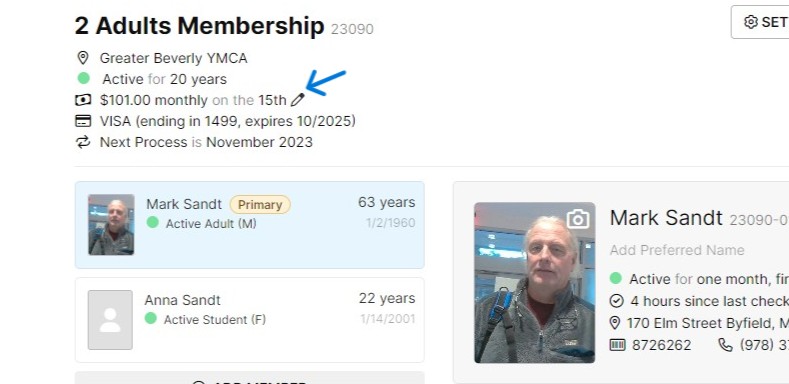
- Find the member
- Click on the pencil next to the membership dues
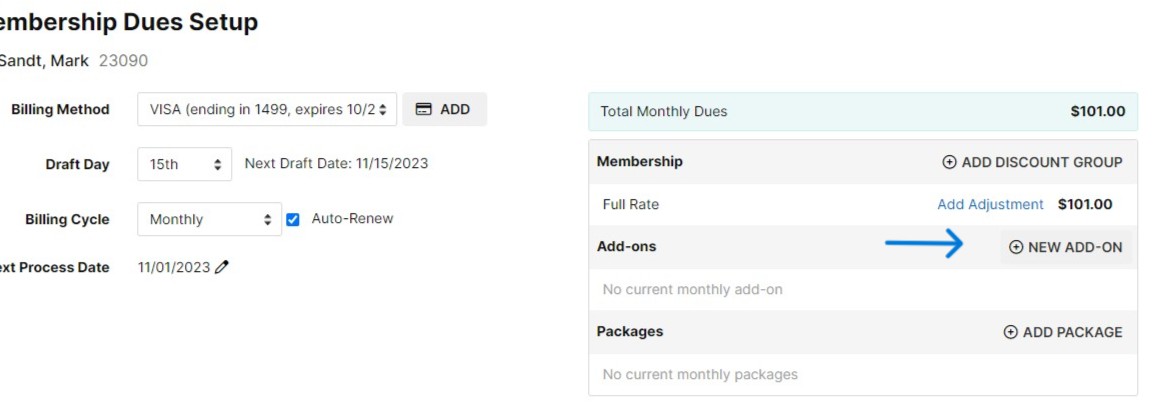
- Click "NEW ADD-ON"
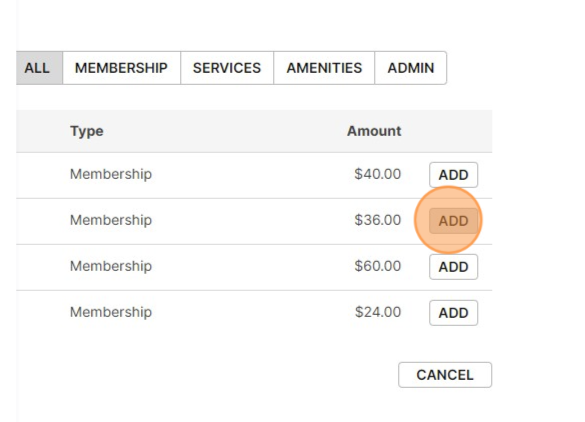
- Click "ADD" next to the correct masters type
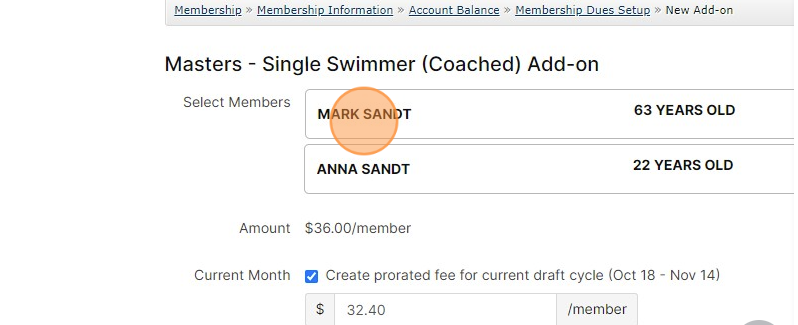
- Choose the member who will utilize the add on (note for 2 members please only choose one)
- Click "NEXT"
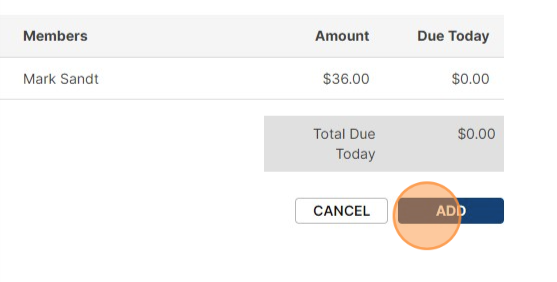
- Click "ADD" and take any payments due today
Enroll a Nationwide Member in Master's Swim
The Nationwide program allows guest access at all Ys as long as the member utilizes their home Y at least 50% of the time. So, if members from nearby Y's wish to enroll in Masters Swim with us, we need to determine if they are still using their home Y 50% of the time.
If NO (they're using YNS more), they must switch their membership to YNS and enroll in masters as listed above.
If YES (they or other family members are using their home Y a majority of the time), please use the steps below to honor their membership at another Y and still enroll in Masters Swim with us.
- Activate and Adult Membership in Daxko for the member
- Use discount group Promo - Masters Swim Membership to remove all membership dues
- Add the Masters Fee using the steps above
NOTE: Do NOT create a YNS scan tag for these members - We want them to continue scanning in with Nationwide so we are immediately aware if their membership at the other Y ends.
Was this article helpful?
That’s Great!
Thank you for your feedback
Sorry! We couldn't be helpful
Thank you for your feedback
Feedback sent
We appreciate your effort and will try to fix the article