Policy: Our Y does not generally allow refunds for membership charges due to our cancellation policy. However, if a member provides a medical note or an extenuating circumstance is approved by the Local Y’s Executive Director, a refund can be processed. For programs, members are allowed to receive a full refund either before the session begins, or in the first two weeks of a session, for any reason. After this time, only extenuating circumstances approved by the local team will be refunded.
Procedure:
To Process a Refund/Credit in Daxko please use the following steps:
Navigate to the Membership Information screen.
Select Transactions.
Select the detail arrow on the far right of the transaction fee to cancel the payment.
NOTE: You can only cancel transactions that show in the debit column, such as fees. Transactions in the credit column will not show an option to cancel.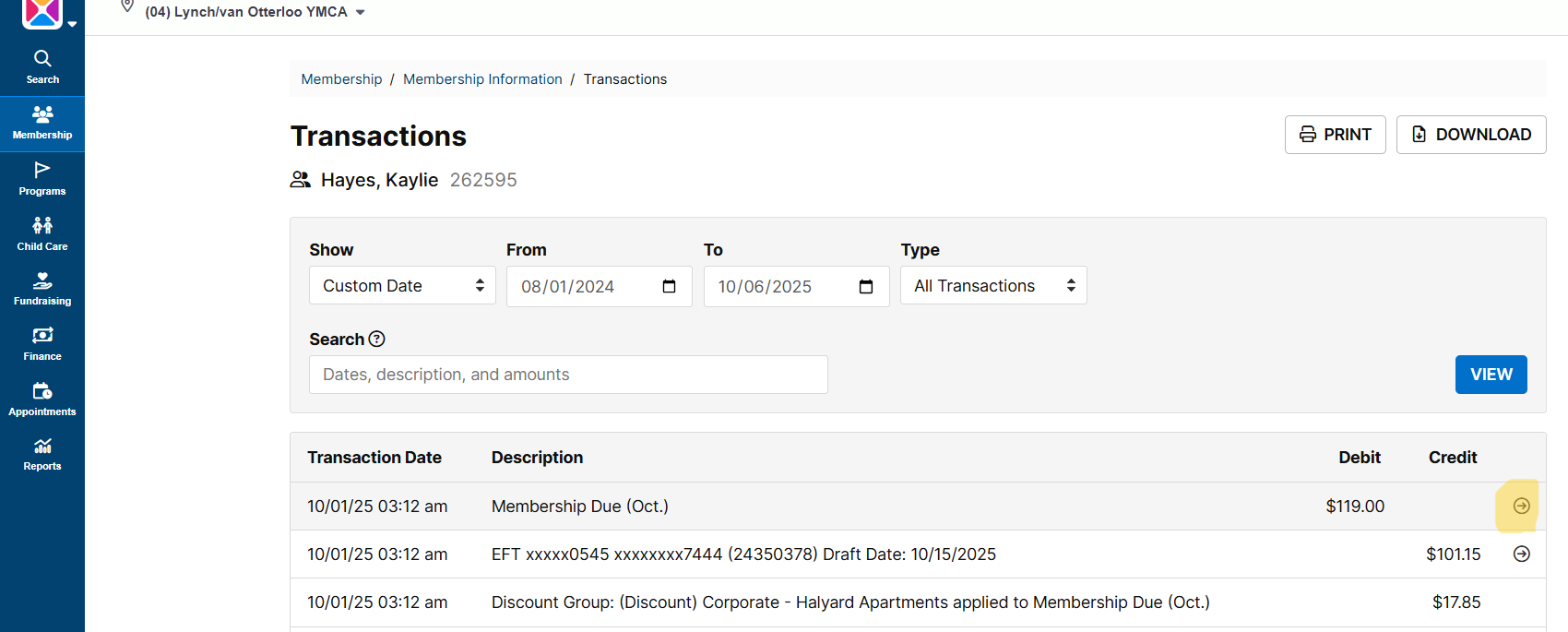
Select the “Cancel Registration” link.
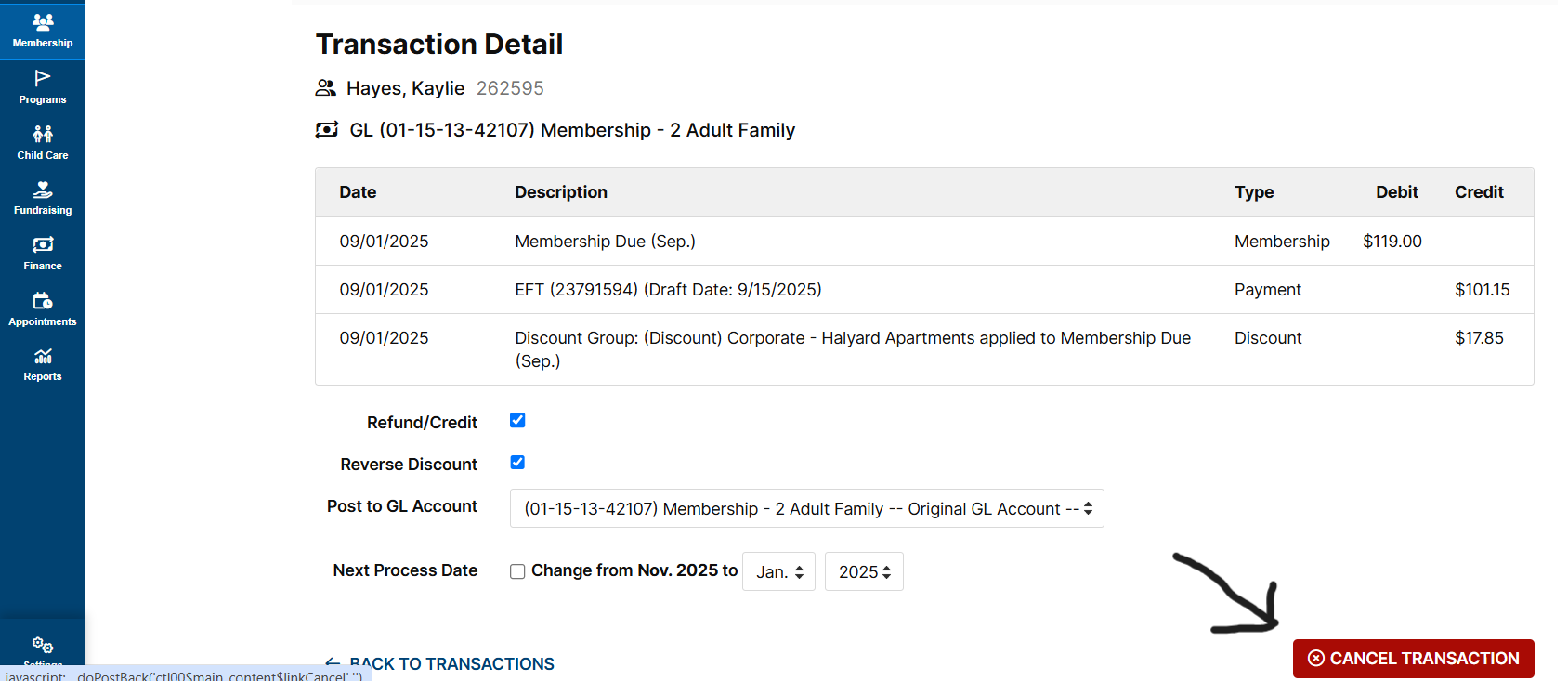
On the new screen, select the Refund Method from the drop down. System Credits will be automatically available on the unit. Check, EFT, or Credit Card refunds must have a second step of approval by local executive directors.
Confirm or change the amount of refund.
Include the reason for refund in the appropriate box.
Click Submit Refund for Unit link.
Box will pop up asking for confirmation of refund, select OK.
:
Was this article helpful?
That’s Great!
Thank you for your feedback
Sorry! We couldn't be helpful
Thank you for your feedback
Feedback sent
We appreciate your effort and will try to fix the article