Here's how to purchase and redeem gift cards in Daxko!
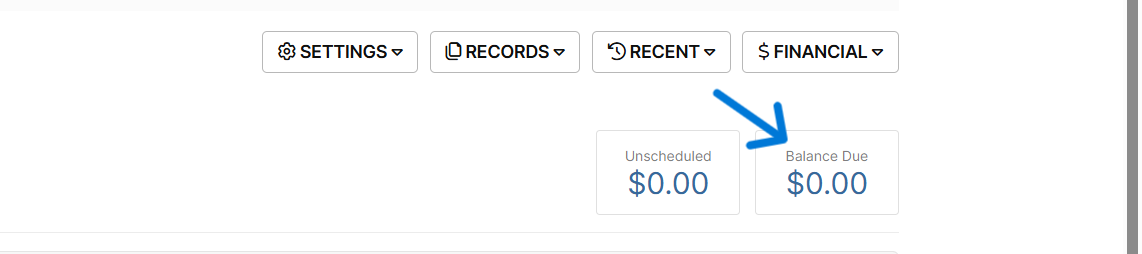
- Click Balance Due
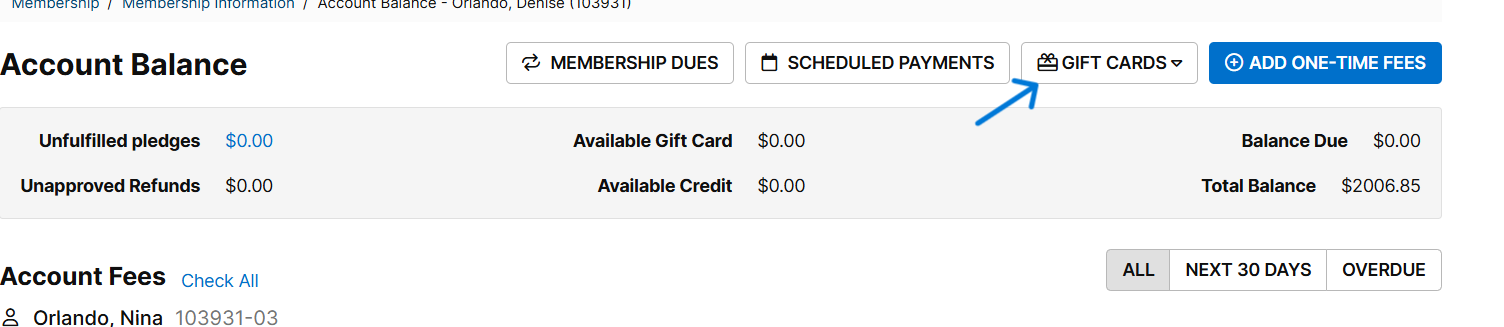
- Click "GIFT CARDS"
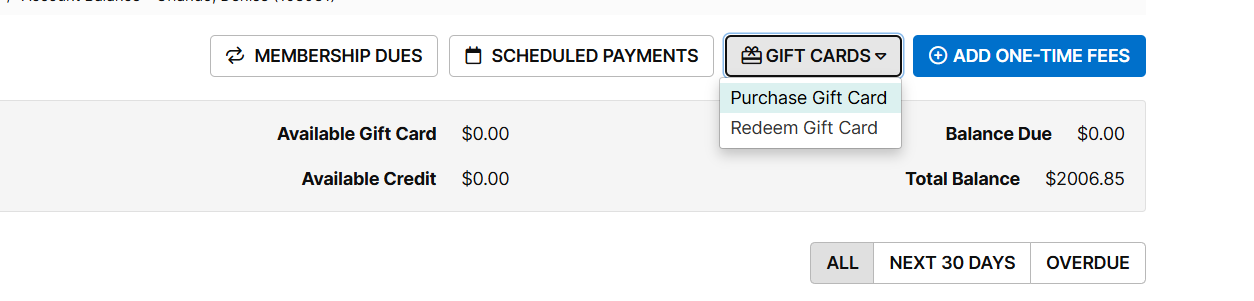
- Click "Purchase Gift Card"
- Add gift card amount in the amount field
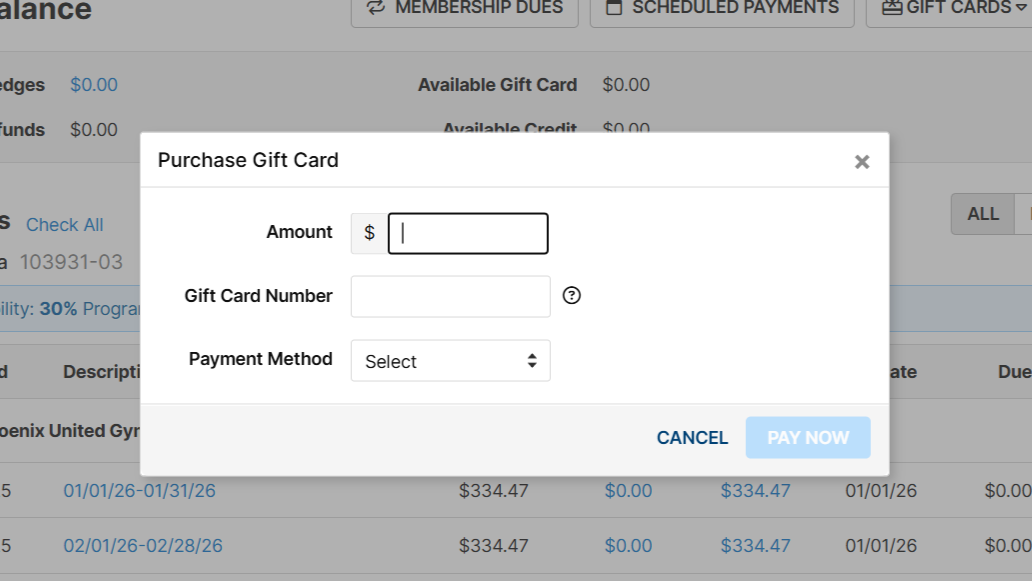
- You will need to get a physical gift card to give to the member - the number on this should match what you enter as gift card number
- Once you enter all of the payment method details, the transaction is complete, however, if the gift card needs to be redeemed/assigned to a member follow the rest of this article!
- To redeem, follow steps 1 and 2 above
- Click "Redeem Gift Card"
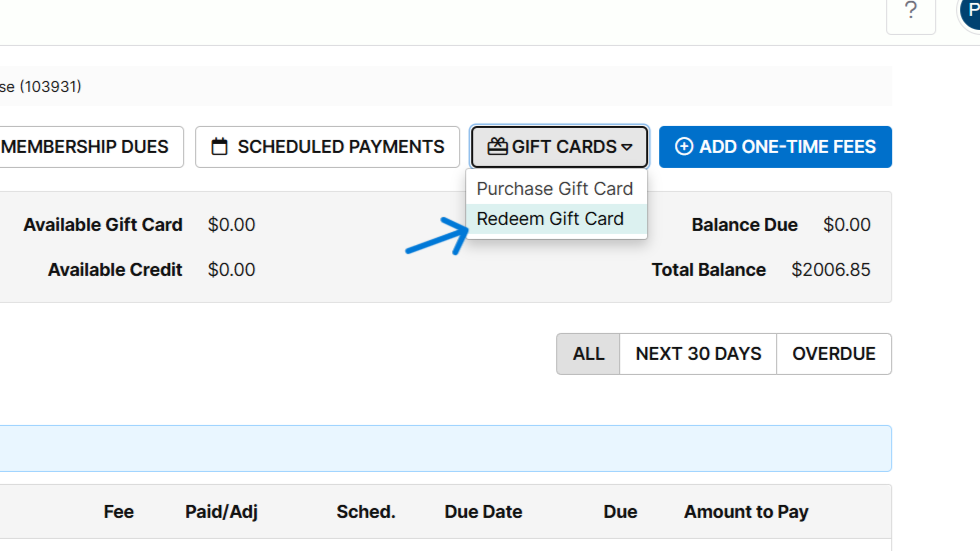
- Type the gift card number
- Click "REDEEM"
Was this article helpful?
That’s Great!
Thank you for your feedback
Sorry! We couldn't be helpful
Thank you for your feedback
Feedback sent
We appreciate your effort and will try to fix the article