Here's how to help a member reset their online login information to access their Daxko account.
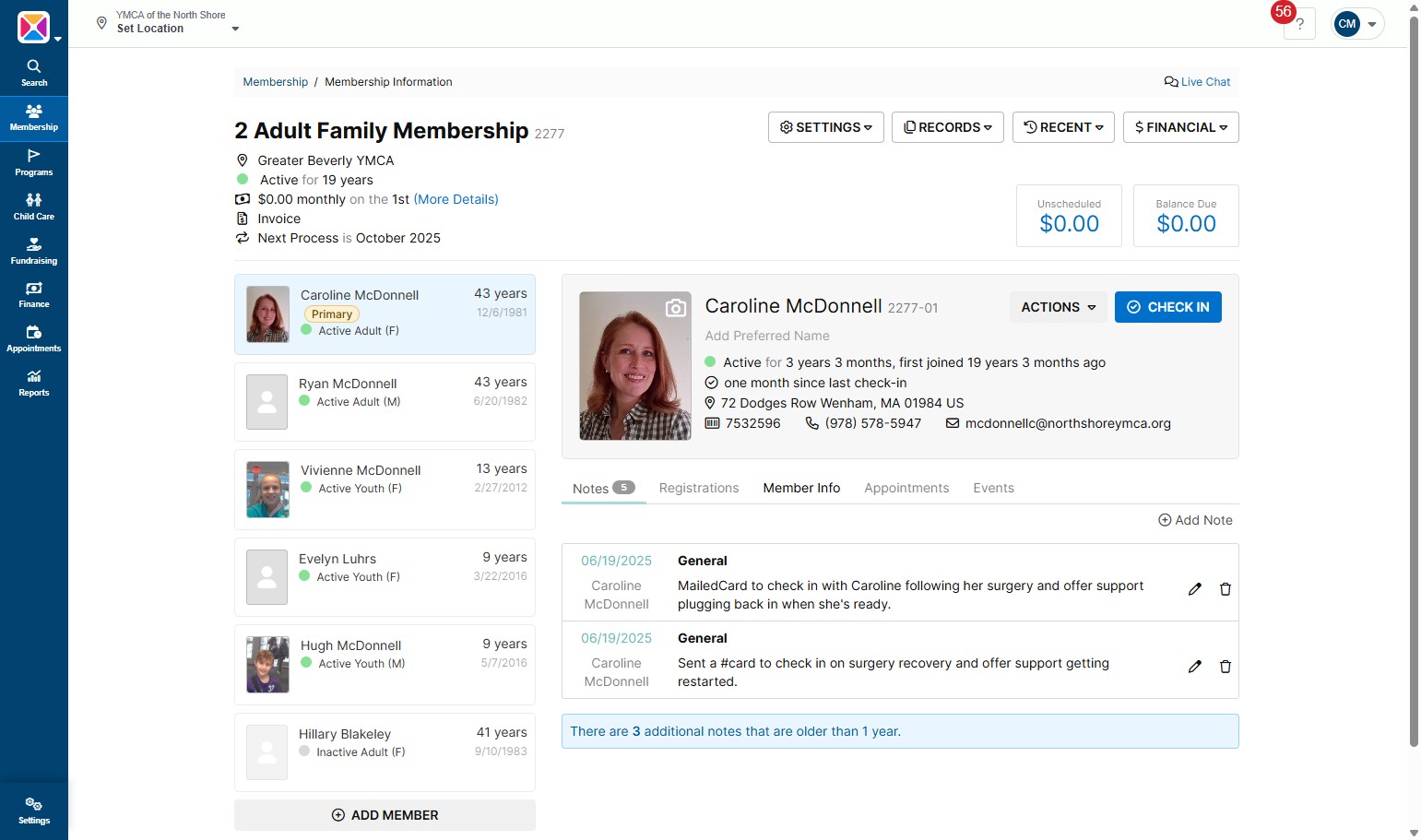
- Open the member's unit in Daxko, and click "Member Info"
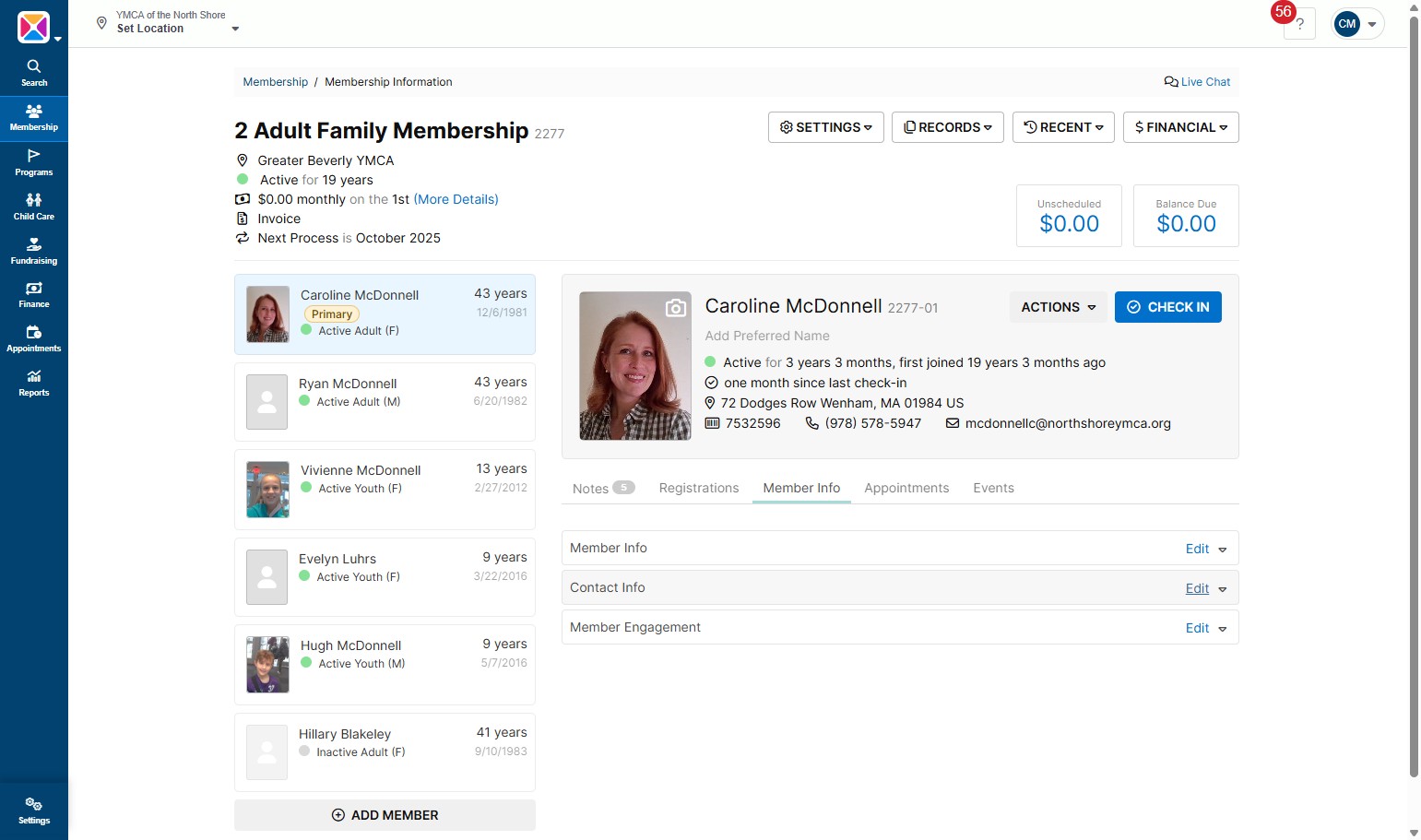
- Click "Edit" to view Contact Info
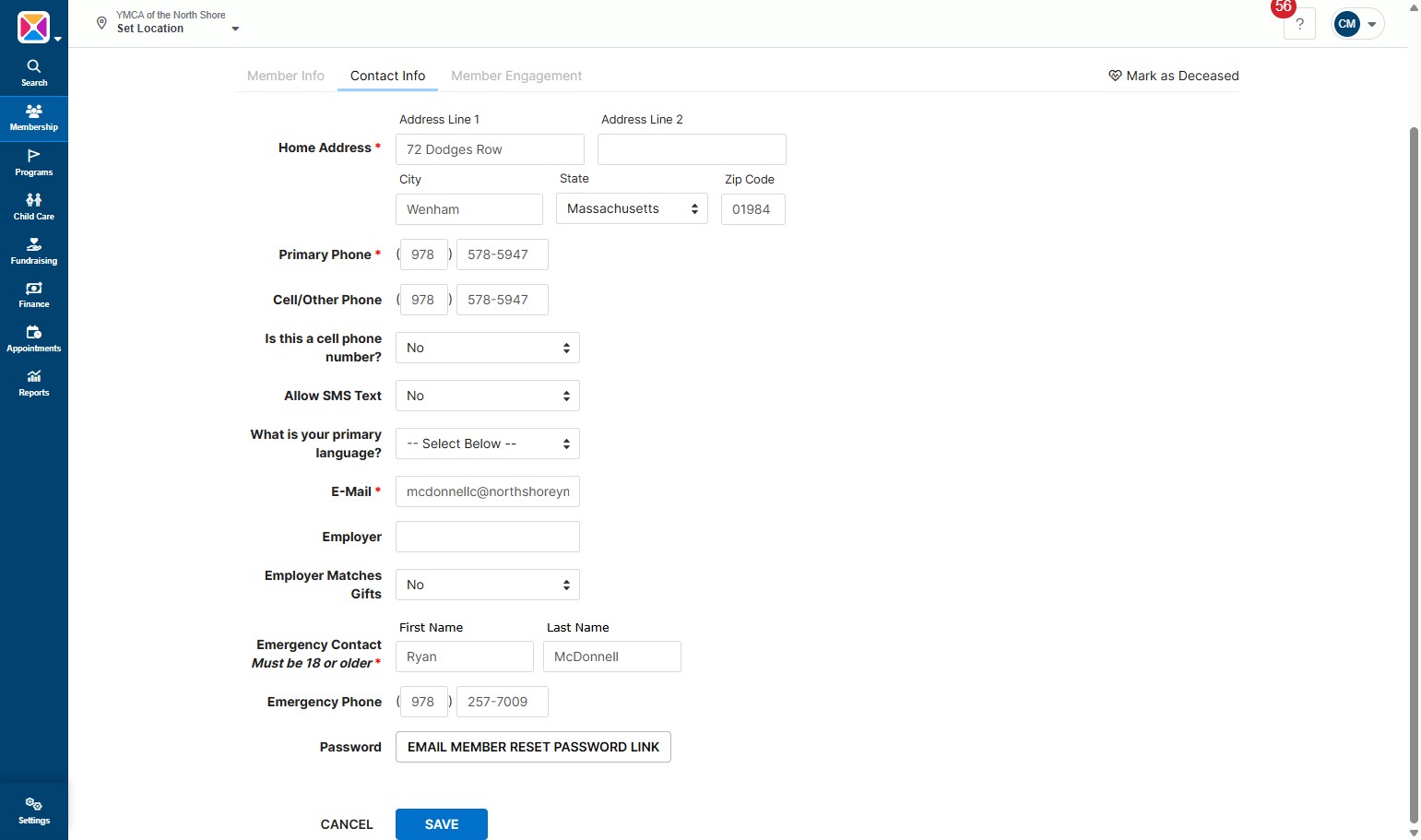
- Double check that the email listed is the one the member prefers, then scroll down and click "EMAIL MEMBER RESET PASSWORD LINK" - this will send a link to the member's email on file, and they can reset their account from there.
Was this article helpful?
That’s Great!
Thank you for your feedback
Sorry! We couldn't be helpful
Thank you for your feedback
Feedback sent
We appreciate your effort and will try to fix the article