Staff Training: YUSA Nationwide Membership
What is Nationwide Membership?
Nationwide Membership provides all Y members with reciprocal guest benefits at YMCAs nationwide.
This provides the same benefits as day guests, and does not extend to YNS members-only benefits like program price reductions or splash parks.
As always, YNS members have full membership benefits at all 7 YMCA of the North Shore locations and should be scanned in with our regular pass validation system.
Nationwide guest visit access is for members of other Y’s outside our association, and we use a shared, nationwide scanning system to track usage.
Likewise, our members are welcome to visit Y’s outside our association.
Please review this Nationwide FAQ for more program details!
What’s included and what’s not?
Nationwide visitors and Guests are welcome to use the fitness center, open member benefits like lap swim or open gym, and drop in for group ex classes that have space (they may not reserve in advance). They are not eligible for the following benefits which are restricted to YNS members only due to demand:
Pickleball
Outdoor Pools & Splash Pads
Kids Club babysitting
Reduced member pricing on programs and camp (this is only available for paying YNS members)
How to scan a Nationwide guest visiting from another (non-YNS) YMCA:
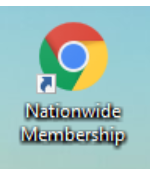
Click the Nationwide Membership icon on the Welcome Center desktop.
- Log in with your local Y’s credentials (password: members1)
havdesk@northshoreymca.org
ipsdesk@northshoreymca.org
mardesk@northshoreymca.org
pladesk@northshoreymca.org
stedesk@northshoreymca.org
caydesk@northshoreymca.org
saldesk@northshoreymca.org
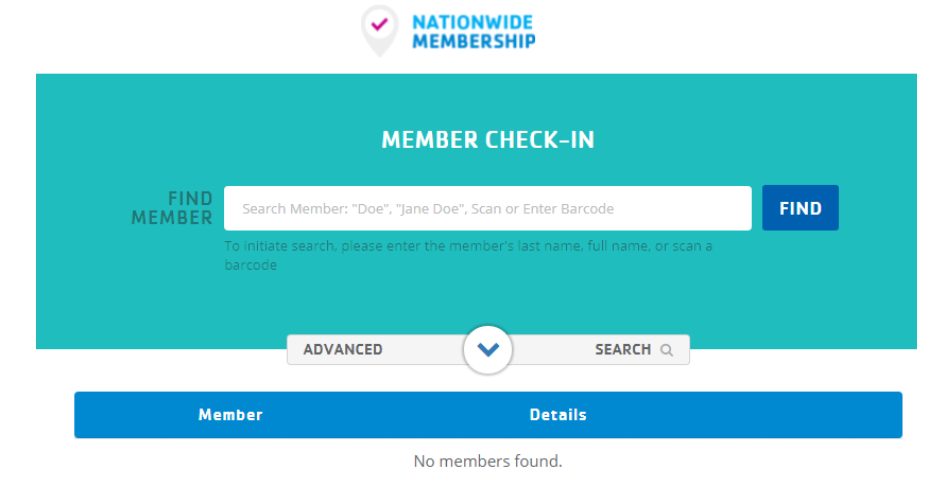
- Enter the visiting member’s name, click “FIND” to search the database.
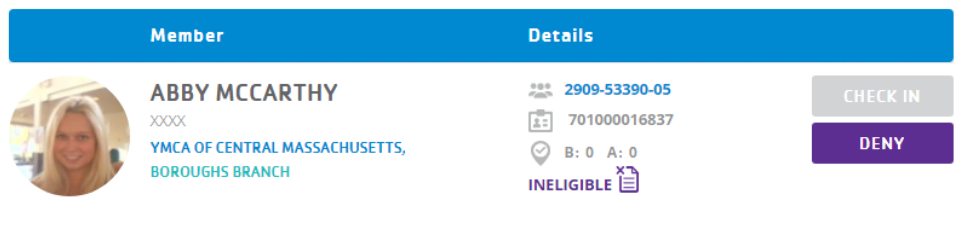
- Click “CHECK IN” to complete the scan. If the visiting member has never completed the Nationwide waiver, the “CHECK IN” box will be grayed out. Instead, click the waiver icon to capture the waiver.
- Capture the waiver electronically:
If you’re using an iPad, choose “SIGN NOW ELECTRONICALLY”
If you’re not on an iPad, enter their email, and the waiver will be sent to them to sign electronically.
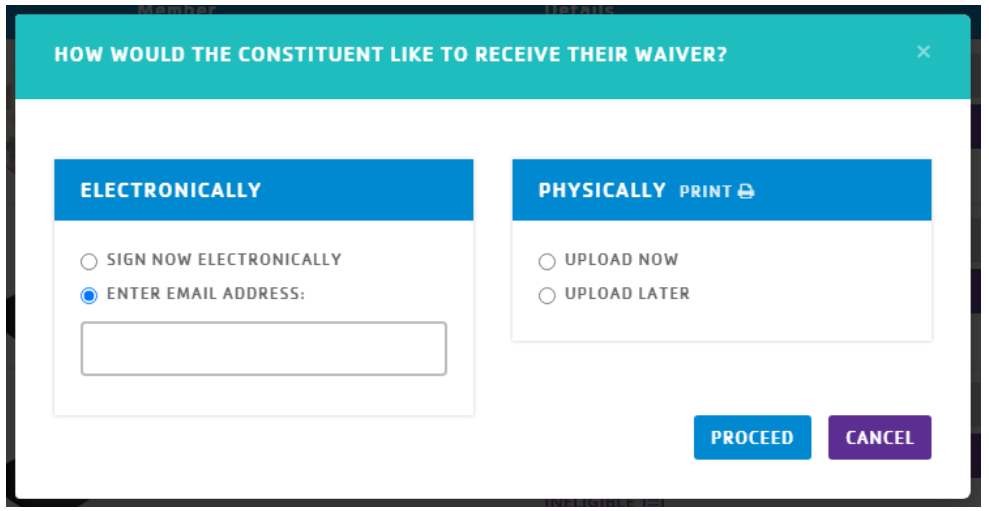
Click “PROCEED” to complete the scan.
Was this article helpful?
That’s Great!
Thank you for your feedback
Sorry! We couldn't be helpful
Thank you for your feedback
Feedback sent
We appreciate your effort and will try to fix the article