Easy Online Account Management
YMCA of the North Shore
Here's a step-by-step guide on how to manage your membership online!
1. Visit www.northshoreymca.org.
2. Click the “LOGIN” button in the upper right corner of the website.

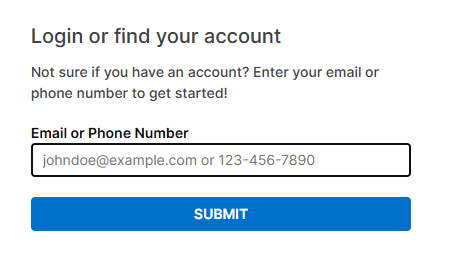
3. Use the email or phone number associated with your membership to log in.
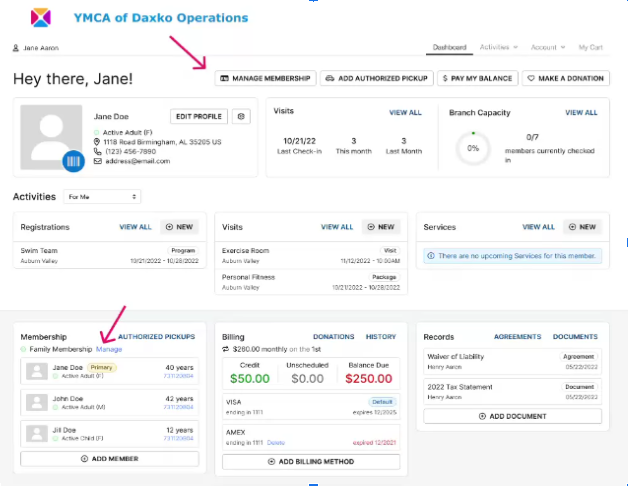
4. From your account, you can view a summary of your visits, update your payment method, pay a balance, review your signed agreements, register for programs, review past registrations, and more!
5. Click “MANAGE MEMBERSHIP” in either of two linked locations in your account to review your membership and cancel it if you need to.
Was this article helpful?
That’s Great!
Thank you for your feedback
Sorry! We couldn't be helpful
Thank you for your feedback
Feedback sent
We appreciate your effort and will try to fix the article